To rename your video:
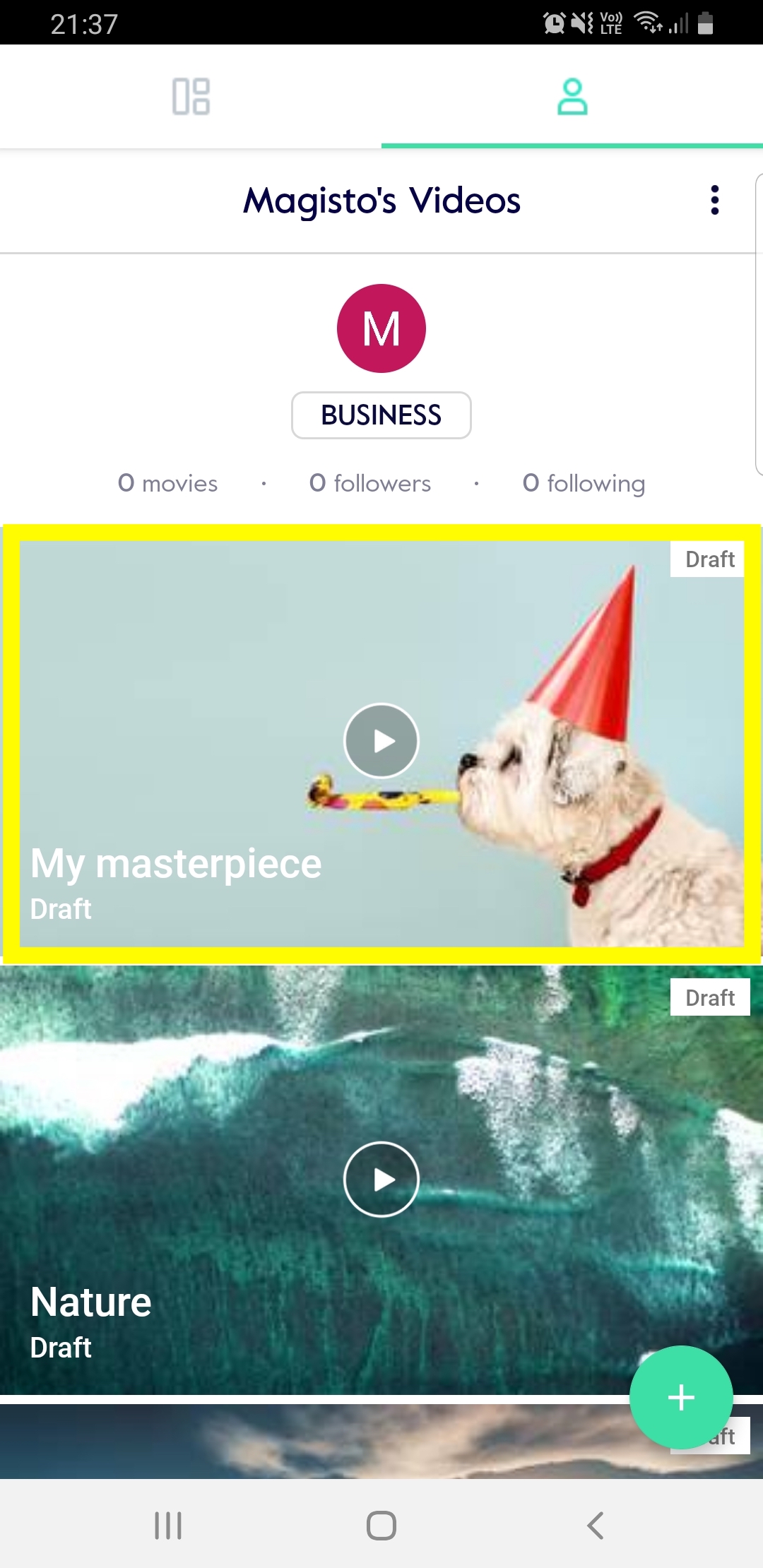
1. Tap on the video you would like to rename.
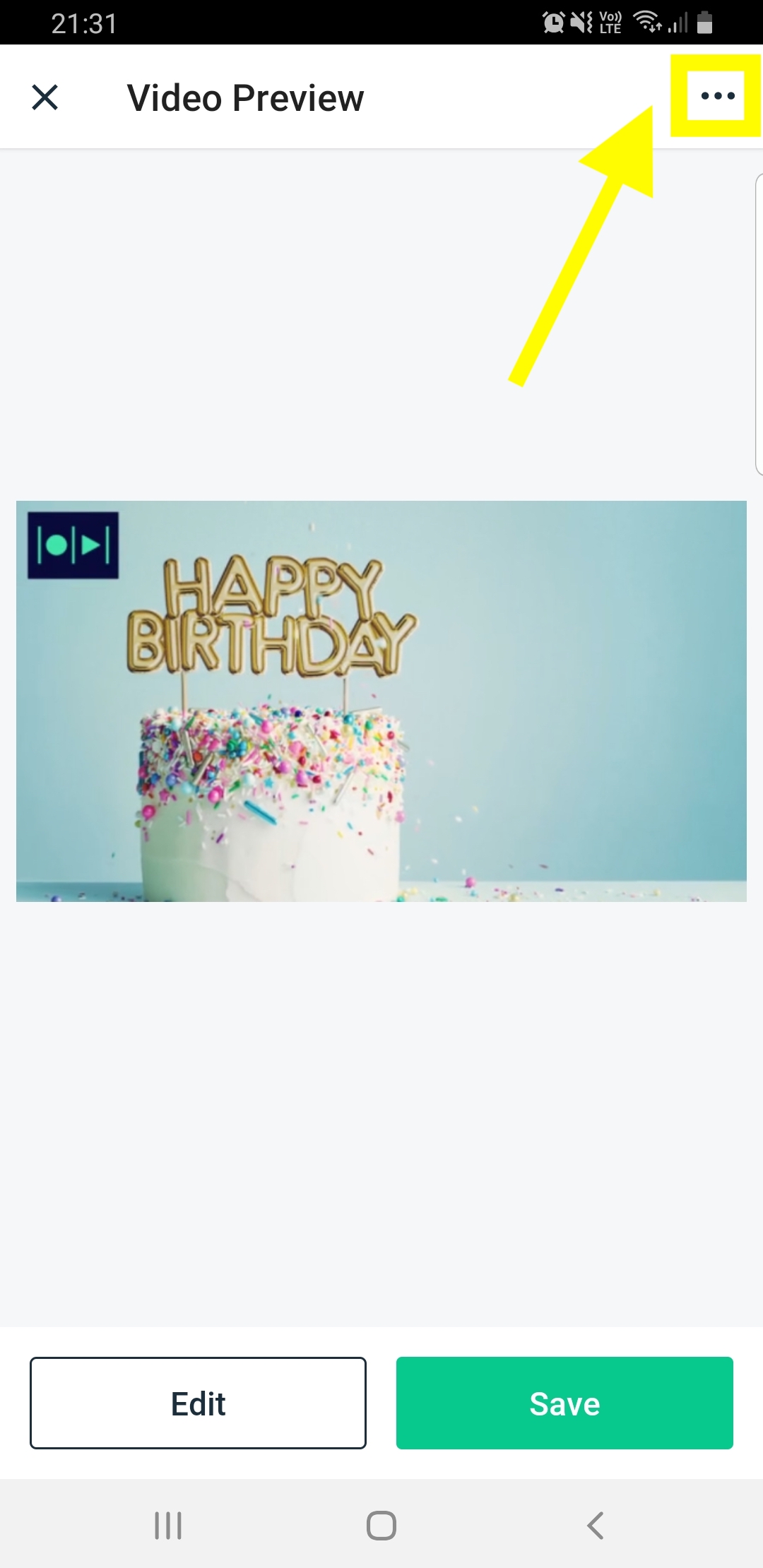
2. Tap on the 3 dots at the top right hand side of your screen.
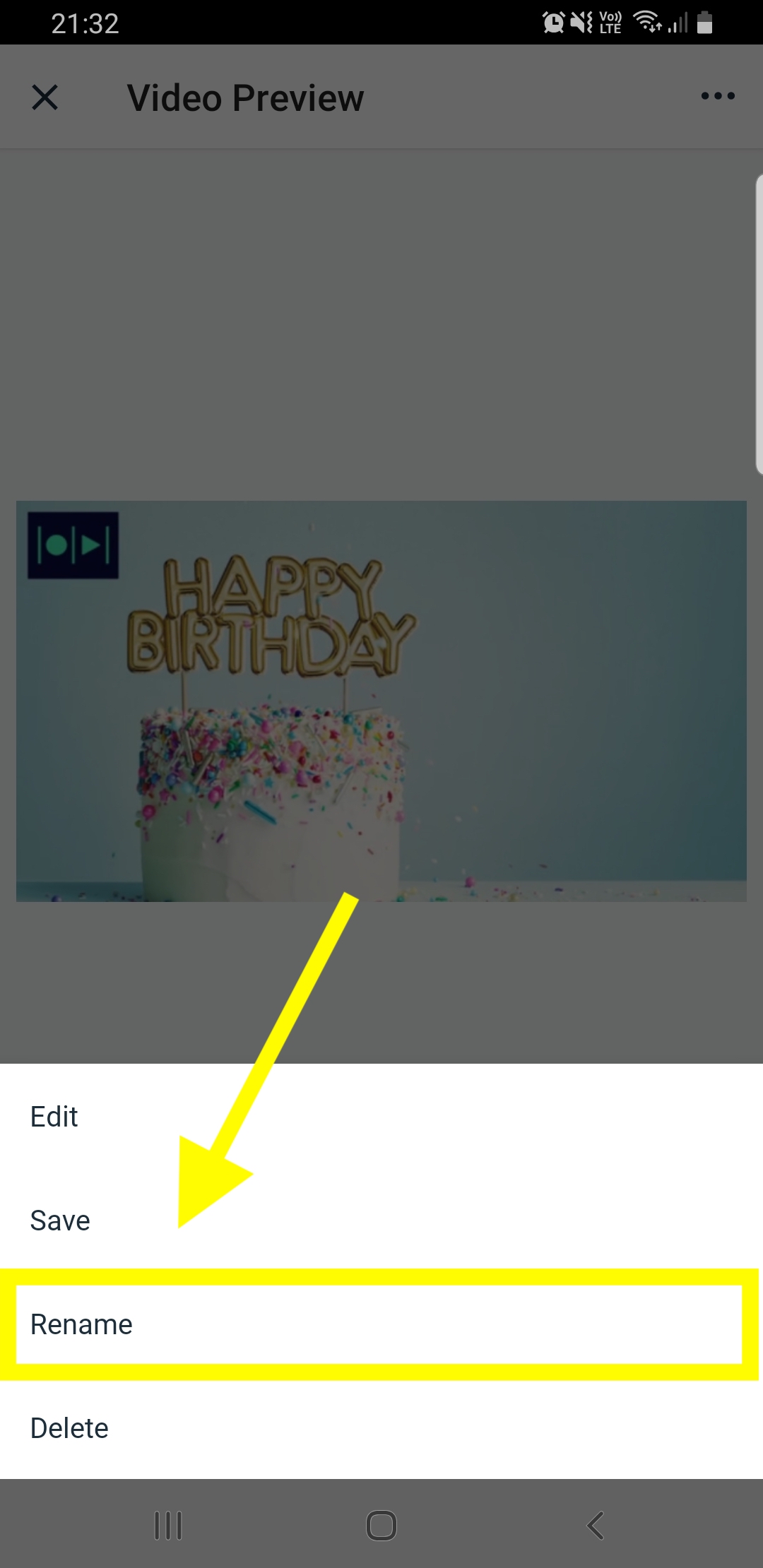
3. Tap on “Rename” in the menu.
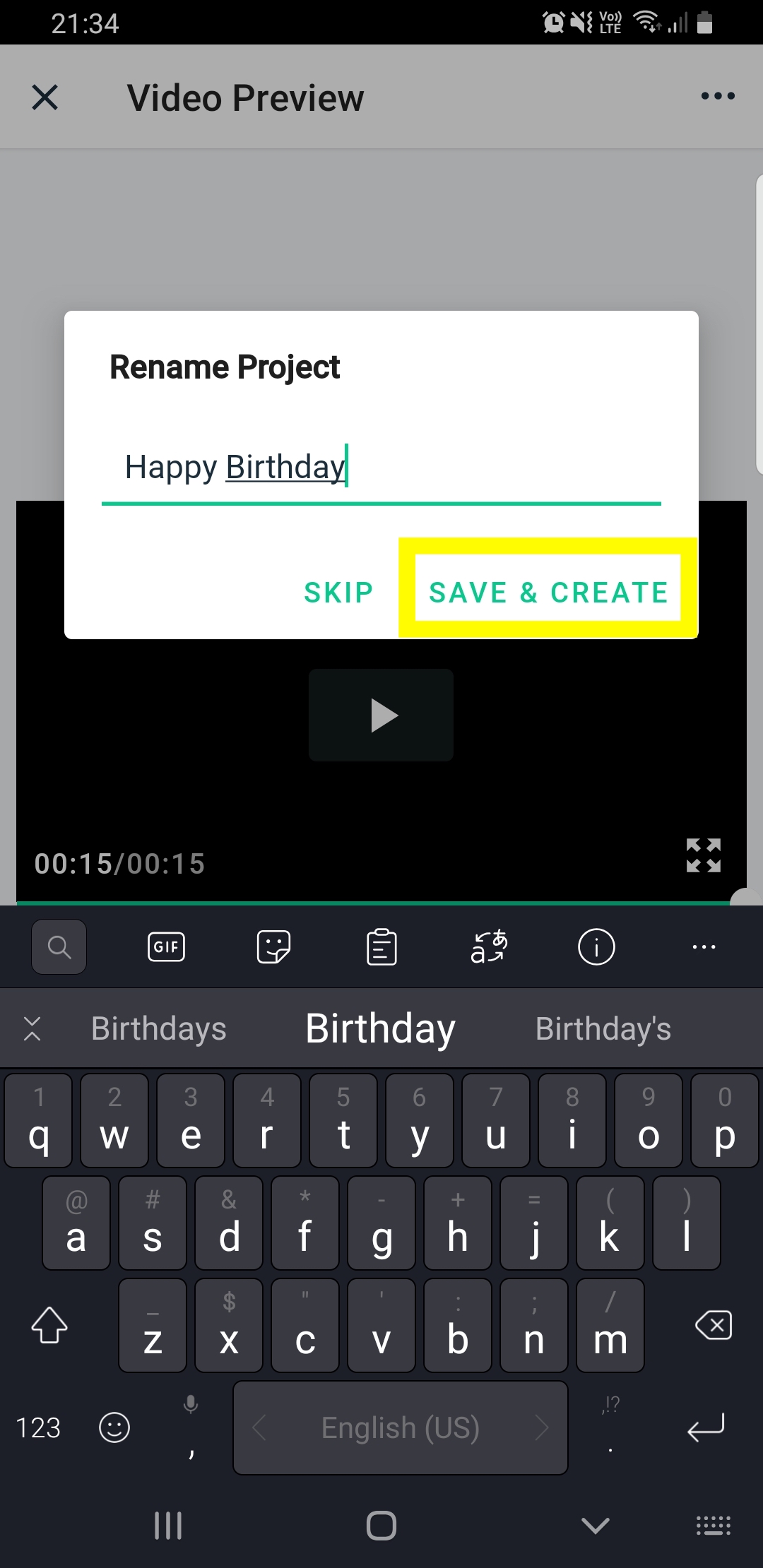
4. Rename your video and tap on “Save & create”.

1. Tap on the video you would like to rename.
2. Tap on the 3 dots at the top right hand side of your screen.
3. Tap on “Rename” in the menu.
4. Rename your video and tap on “Save & create”.